
The Record Has to Hold Up
A bid, RFI, submittal, change order, service ticket, time entry, or invoice should keep its files, status, owner, and history close to the work.
Build Daily keeps quotes, RFI answers, service parts, signatures, and billing records with the job they belong to.
It is laid out the way a contractor works: leads and estimates, then projects, service and dispatch, crew time, documents, and files. Accounting is being built in stages.


Most of the pain comes from handoffs: estimating to the PM, the field to the office, the tech to billing. Information gets dropped every time it changes hands.
A bid, RFI, submittal, change order, service ticket, time entry, or invoice should keep its files, status, owner, and history close to the work.
A PM, dispatcher, or estimator should be able to see what needs attention without digging through texts and inboxes.
Vendors, owners, and customers get a link to the one thing they need to review, sign, or pay. They never see the rest of your company.
| Contractor Question | Where Build Daily Answers It |
|---|---|
| What are we bidding, and who owes us a number? | Leads and estimates hold the customer, bid files, vendor RFPs, addenda, takeoff, proposals, and bid results. |
| Which jobs need a call today? | Each project carries its own RFIs, submittals, drawings, change orders, T&M tickets, schedule, and closeout. |
| What happened in the field? | Daily reports, crew hours, safety, deliveries, punch, and photos stay with the job. |
| What did the tech do, and can we bill it? | The ticket shows the dispatch, equipment, labor, materials, and customer signature, then goes to billing with a payment link. |
| Where is the backup? | Files attach to the estimate, RFI, change order, or service ticket that uses them. |
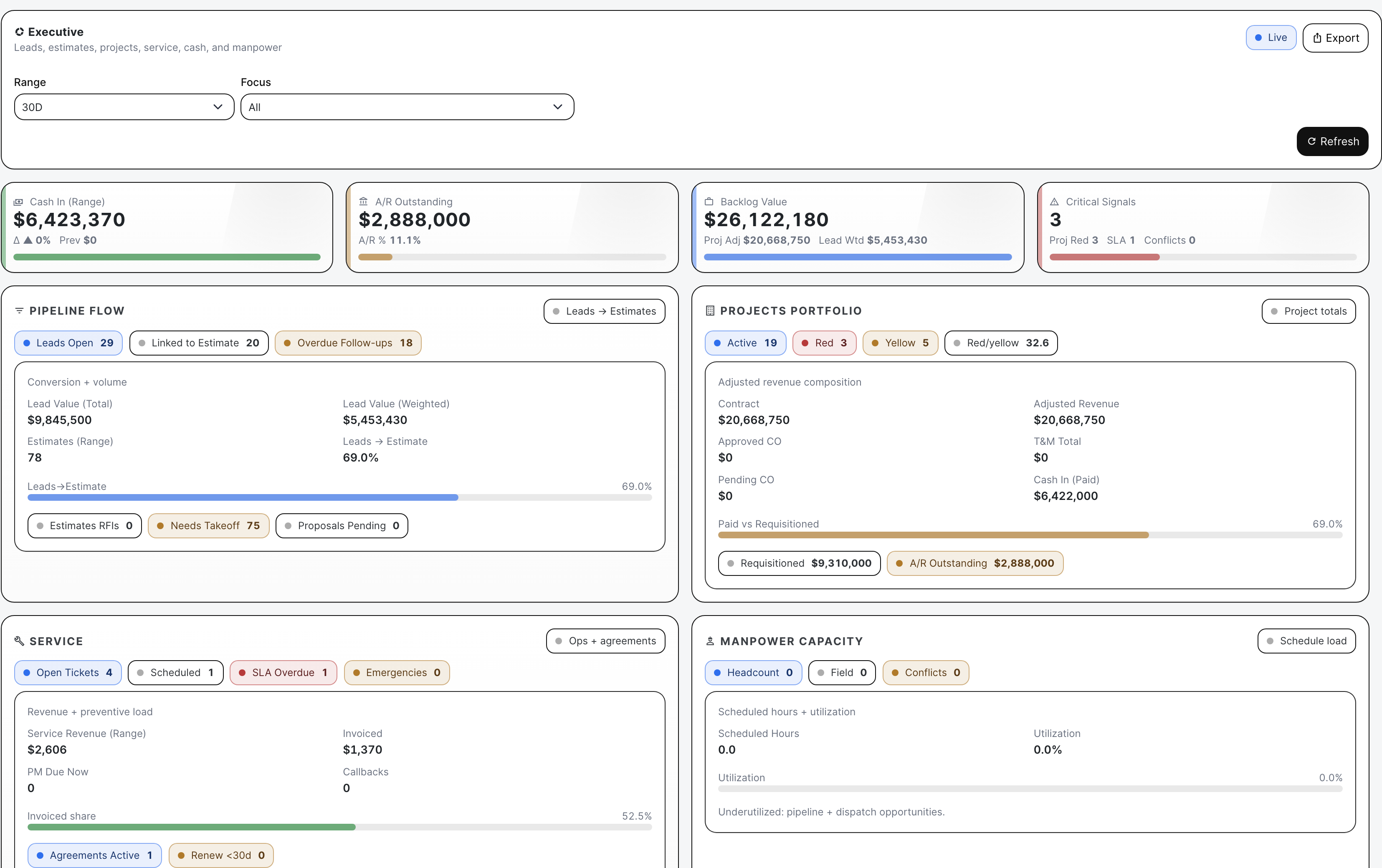
| What is stuck across the company? | Analytics and notifications show what has gone stale and what is still open, with a link to the record. |
Every screen should tell you the work, who owns it, and what happens next. If one doesn't, we fix it.
Each part of the app is organized around a real task, like pricing a change or billing a service call.
The screenshots on this site come from the actual app with sample jobs loaded in.
If something works, we say what it does. If it's still being built, we say so.
Quotes, signed tickets, approved changes, pay apps, and labor hours all hit your margin. They stay tied to the job so the numbers add up.
Bring a real example from your company: a bid, an RFI log, extra work in the field, a service call, or a week of crew time that needed cleanup.
We will open it in Build Daily and walk it through to the next step.
Nobody should have to remember which spreadsheet, inbox, or text thread has the latest number.