BuildDaily

Module Walkthrough

Client and Subcontractor Portals

Use portals and public links to bring outside reviewers, bidders, signers, clients, and subcontractors into specific workflows without giving them internal app access.

Detailed Module Documentation

What is actually inside this module

Use this as the product-review checklist. Each item names a working surface or operational responsibility to inspect during a demo.

External access

Give outside parties a focused experience rather than an internal employee account.

Partner organizations Represent outside companies and their portal memberships.
Project and estimate grants Grant selected records, profiles, modules, upload, and comment capabilities.
Tokenized invitations Invite and activate outside collaborators through controlled access links.
Audit events Retain grant, invite, access, publication, and collaboration events.
Published work

Choose exactly what the outside party can see or do.

Project list Show only explicitly granted projects.
Files and logs Publish selected files, RFIs, submittals, change orders, daily reports, and schedule data.
Uploads and comments Allow controlled contribution when the grant permits it.
Vendor and signer experiences Use separate focused planroom and signing workflows where appropriate.

Product Proof

Screens tied to the workflow

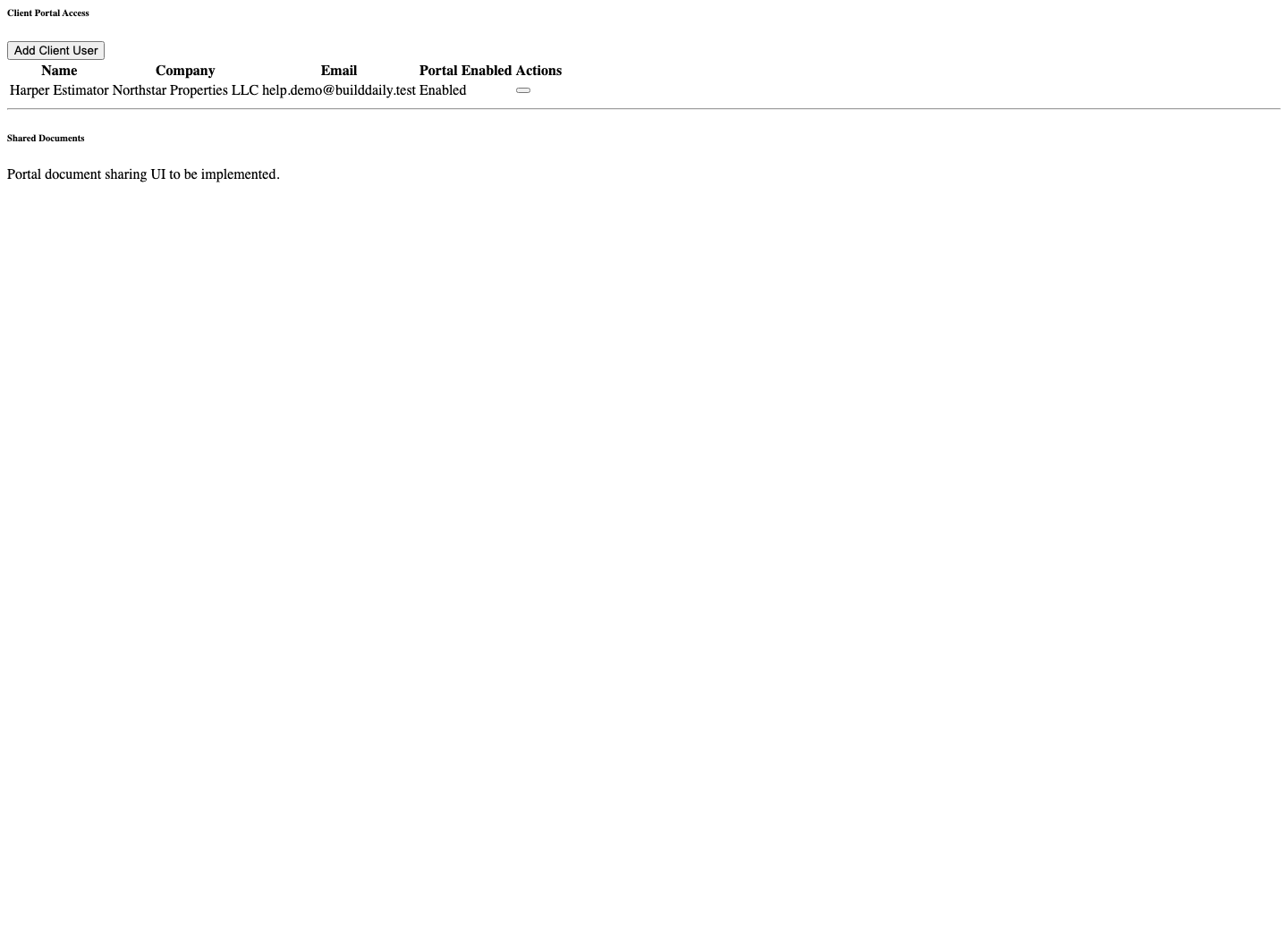
Client portal access
Client portal access controls who can see project-facing material without giving them internal app access.
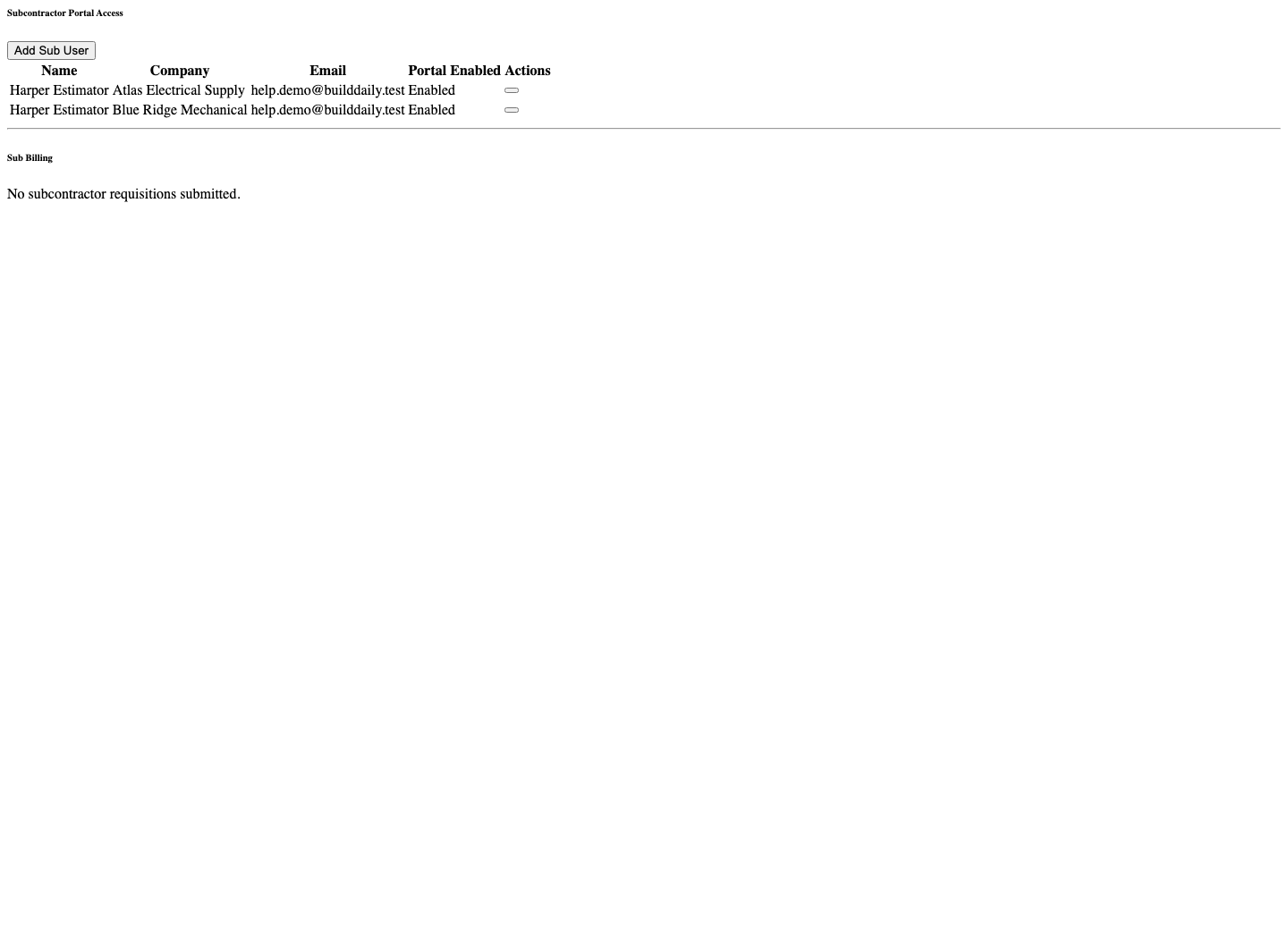
Subcontractor portal access
Subcontractor portal access controls vendor-facing records, billing context, links, and limited external workflows.
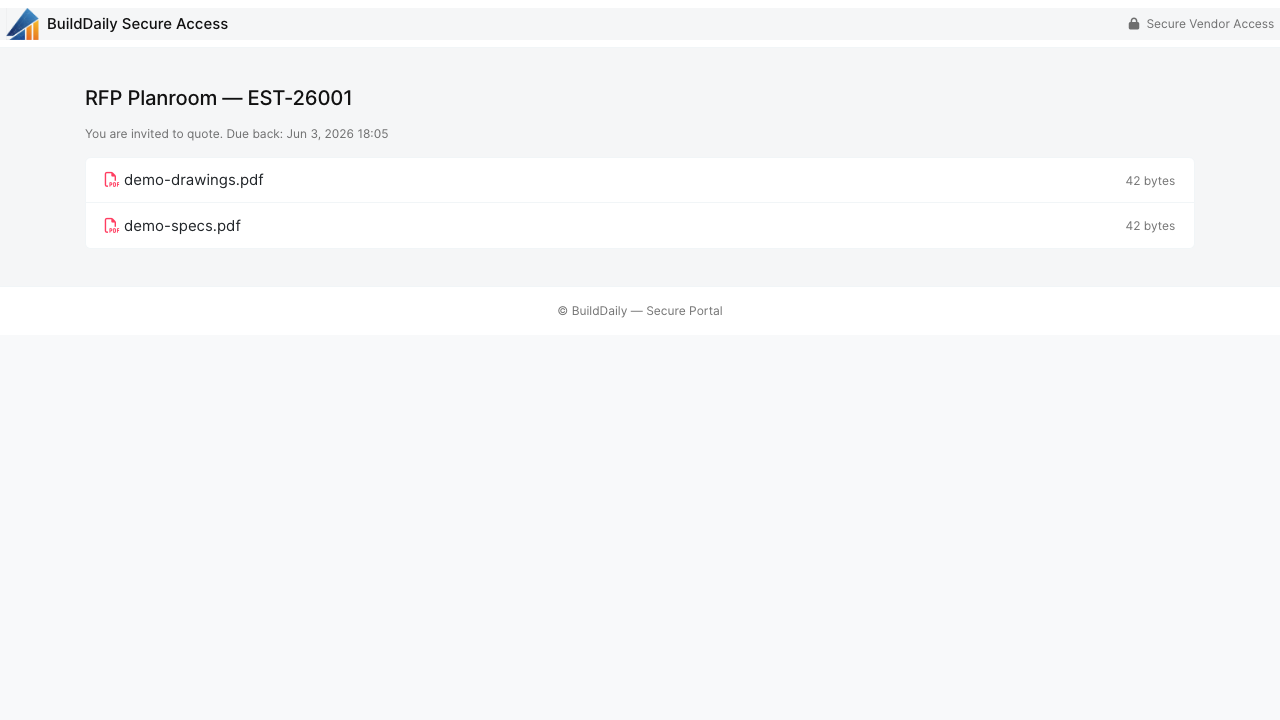
Public vendor RFP planroom
Public planrooms let vendors review bid packages and upload quotes from a secure external page.
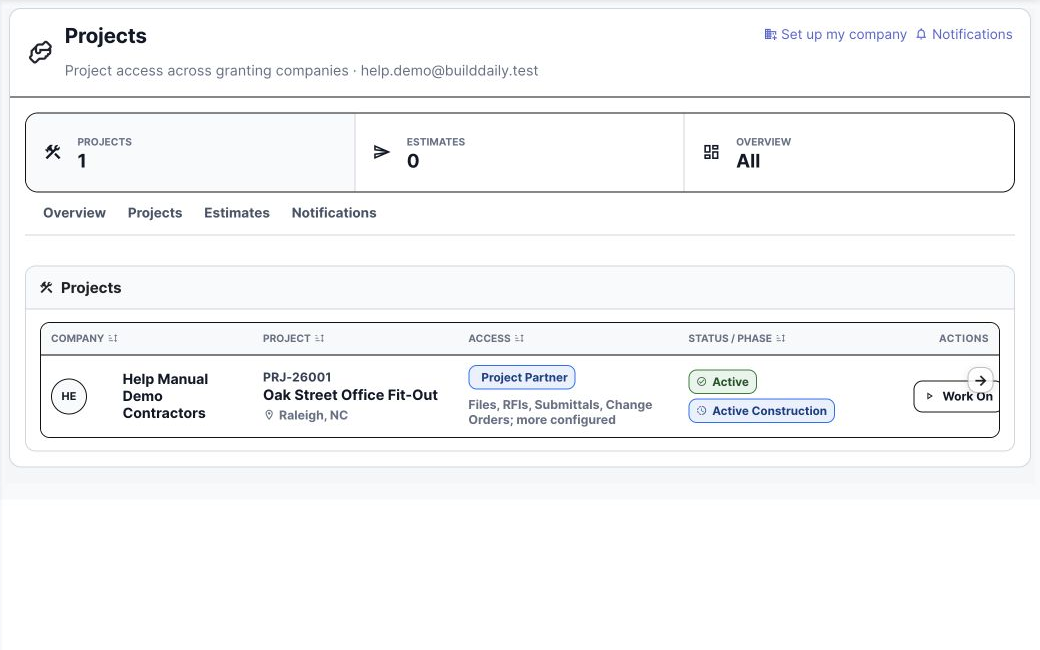
Partner portal project list
A partner sees only the projects explicitly granted to that portal account.
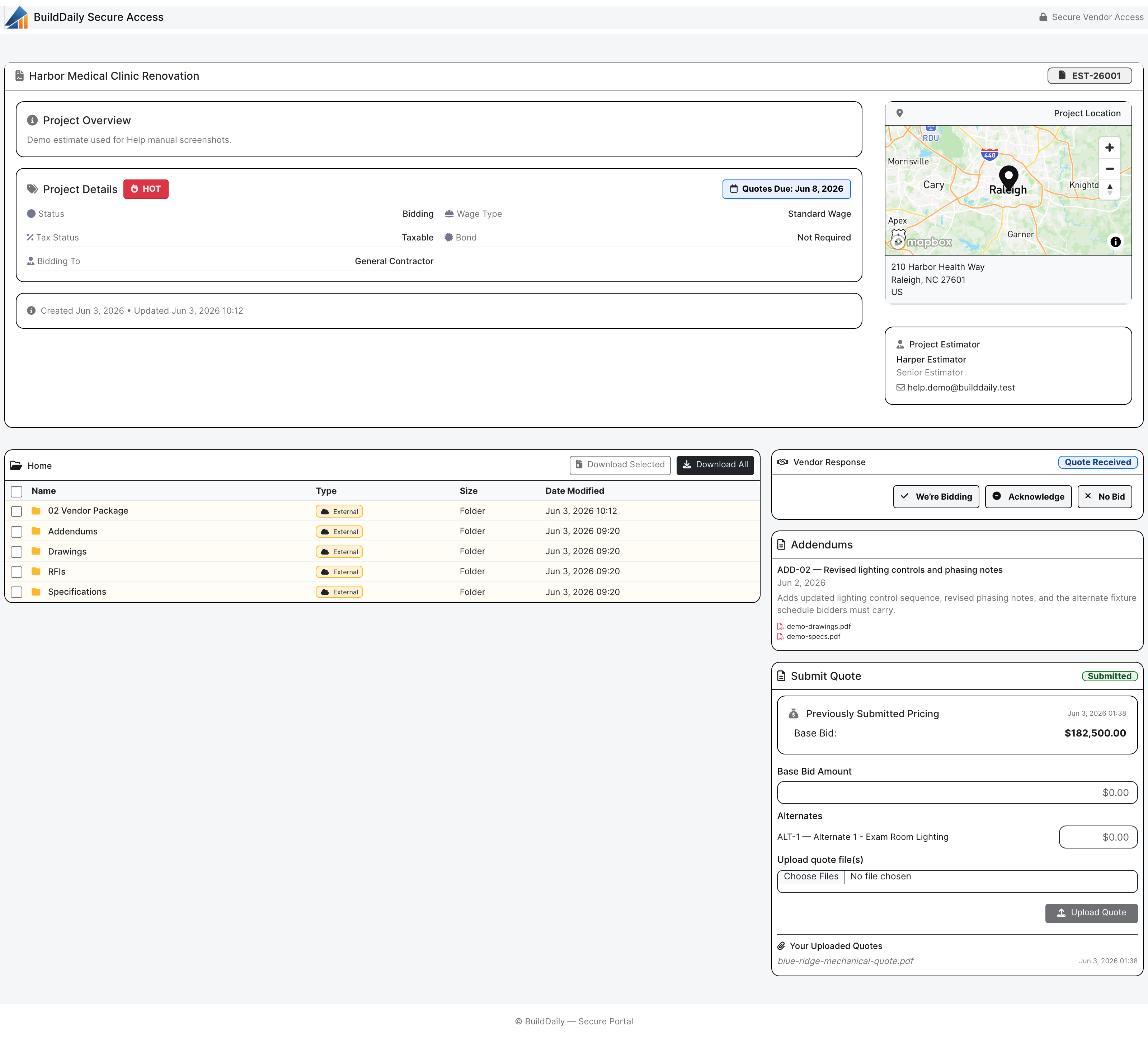
Vendor planroom
Vendors receive a focused bid-room experience instead of internal application access.

Buyer Context

Why this matters operationally

Outside people see the right thing

Clients, subcontractors, vendors, signers, reviewers, and bidders can be invited into specific workflows without exposing the internal operating system.

Public links are workflow-specific

RFP planrooms, RFIs, submittals, change orders, pay applications, service agreements, and signing packets each carry their own controlled review path.

Telemetry matters

Sent, received, opened, reviewed, uploaded, signed, and completed events help the contractor know whether outside parties actually touched the package.

Process

How the work moves through the module

1

Add external access

Choose the customer, owner rep, subcontractor, vendor, or signer and enable only the portal or public link they need.

2

Send the right package

Share the RFP planroom, RFI response request, submittal review, change approval, pay application review, or signing packet.

3

Track response

Watch open/review/upload/signature status and keep the response attached to the original BuildDaily record.

Module Surfaces

Where the work happens

Overview

Summary Project facts, status, team signals, notes, activity, and the current state of the job.

Documents

Files Project folders, uploads, downloads, previews, rename, move, delete, bulk copy, bulk move, and zip.
Drawings Drawing logs, uploaded sets, sheet review, assignment, verification, history, set downloads, and source PDF access.
Specifications Spec sets, divisions, sections, search, quick navigation, downloads, and version history.
Directives Owner or design-team direction tracked against the project record.
Correspondence Project communications kept with the job instead of buried in inboxes.

Management

RFIs Question, attachments, distribution, response, PDF packet, close, reopen, resend, and public review.
Submittals Vendor, revisions, files, compiled packet, review decisions, distribution, release, and import workflows.
RFPs Project-scoped requests, recipients, planroom links, quote tracking, follow-up, and addendum notifications.
Meetings Meeting records connected to the project.
Permits Permit tracking, inline create/edit, detail records, and draft completion.
Inspections Inspection records tied to permits, field status, and closeout needs.

Field

Daily Reports Daily job record with subcontractor rows, files, autosave, Friday cleanup, finalization, and PDF.
Lookahead Near-term work pulled from schedule windows and field planning.
Safety Safety incidents and field safety records.
Deliveries Delivery tracking for material and project logistics.
Toolbox Talks Talk records and field documentation.
Punchlist Open punch items and closeout corrections.
Manpower Project manpower panel connected to labor planning.

Financials

Change Orders Scope, pricing buckets, files, workflow decisions, packet generation, distribution, and public review.
T&M Tickets Labor, materials, files, signatures, pricing, packet status, and revalidation.
Pay Applications Owner pay application workbench and project billing continuity.
A/R Receivable context and project payment visibility.
Receive Payment Project payment entry from the work page.
Subcontractors Subs, compliance, SOVs, pay requests, billing mode, certificates, and uploads.

Schedule

Schedule Tasks, dependencies, responsible parties, baseline lock, CPM recompute, Gantt data, PDF export, and schedule health.
Lookahead Short-window field planning from the schedule.

Closeout

Closeout Docs Closeout document collection and completion tracking.

Operating Rhythm

How the workflow stays moving

Where it lives

  • This module is part of the project work page, so records stay tied to the job, customer, team, files, schedule, and financial context.
  • The project navigation is the customer clue: users do not hunt for this work in a separate app. They open the project and choose the correct tab.

What a contractor can do

  • Project client portal workflows
  • Subcontractor portal workflows
  • Public RFP planrooms
  • Public RFI review and response
  • Public submittal review
  • Public change order review
  • Public pay application review
  • Public document signing

Walk through Client and Subcontractor Portals

We can walk through the module around the way your company actually handles the work.

See it with your work