BuildDaily

Module Walkthrough

Friday AI

Friday helps with specific contractor tasks: cleaner RFI language, change order wording, daily report cleanup, lead follow-up drafts, and reviewed AI interactions.

Detailed Module Documentation

What is actually inside this module

Use this as the product-review checklist. Each item names a working surface or operational responsibility to inspect during a demo.

Assisted work

Friday is positioned as reviewed assistance around real records, not an autonomous replacement for judgment.

Writing assistance Draft or clean up supported record text, summaries, and outbound wording.
Follow-up assistance Help prepare record-aware follow-up while keeping the user in control of sending.
Knowledge context Use curated product and workflow context where the runtime supports it.
Human review Preview and correct generated content before an operational side effect.
Operator controls

Keep AI behavior inspectable and supportable.

Interaction history Review request, output, module context, timing, status, and user feedback.
Runtime observability Inspect provider calls, failures, retries, incomplete responses, and performance signals.
Suppression and safety Control unsupported, risky, or noisy suggestions.
Friday Ops Use reviewed suggestions, digests, and targeted operational follow-up where enabled.

Product Proof

Screens tied to the workflow

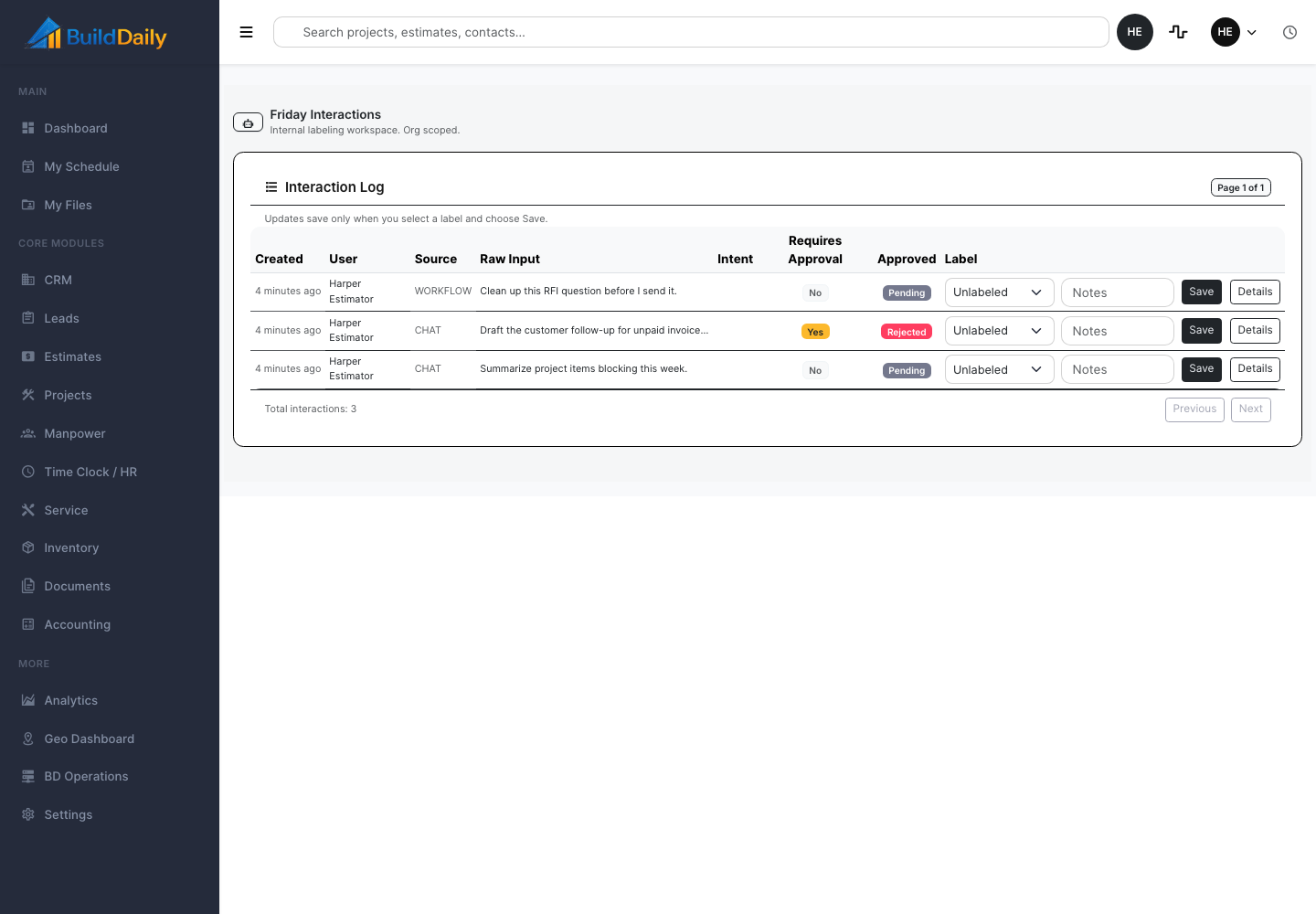
Friday AI interaction review
Friday interaction review keeps prompts, responses, approvals, module context, and reviewer action visible.
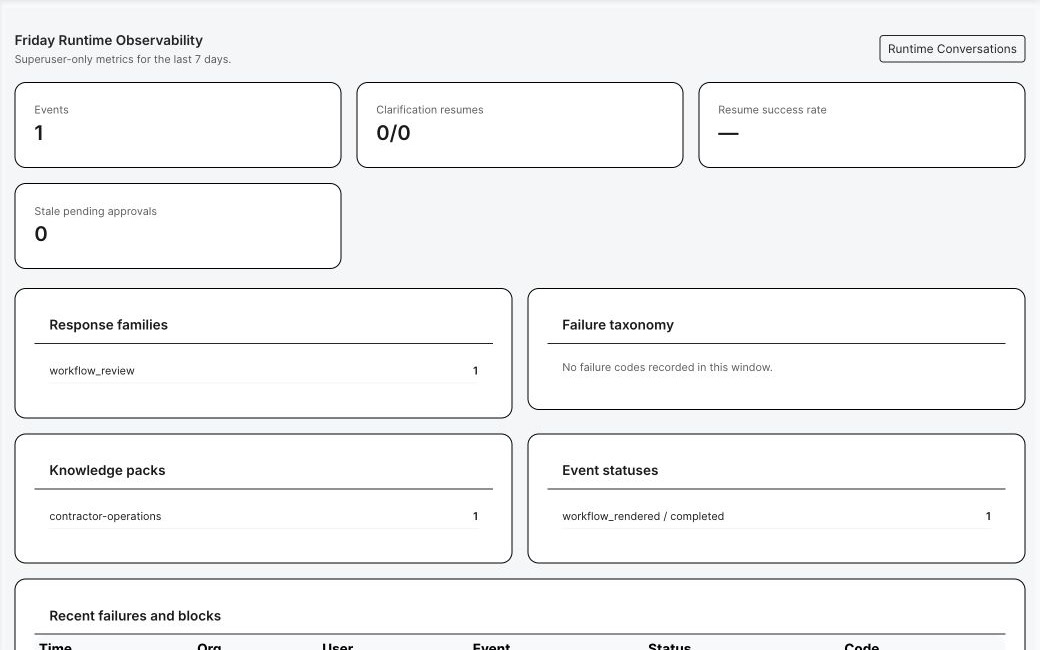
Friday runtime observability
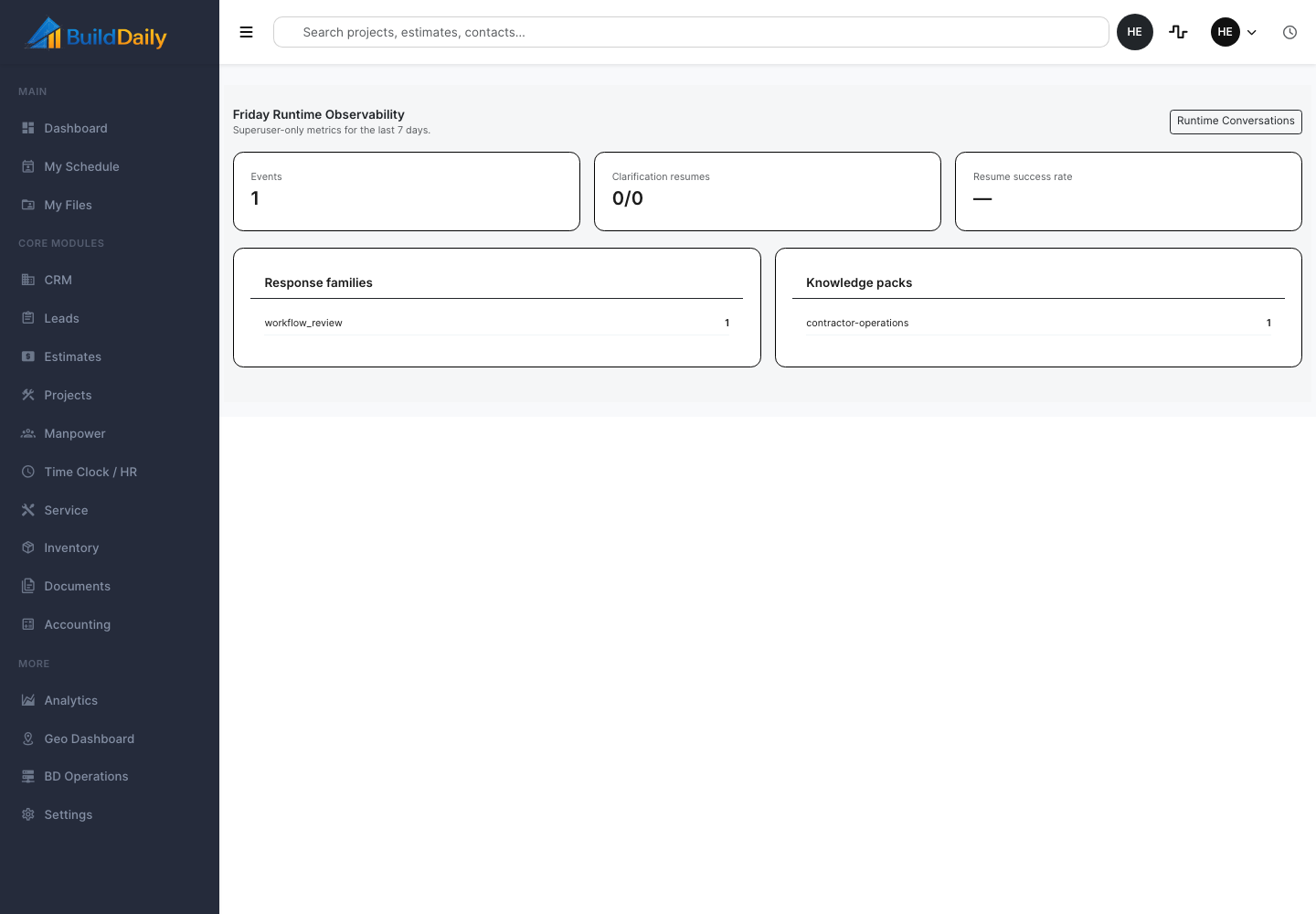
Friday runtime observability exposes knowledge pack version, events, latency, status, and operating telemetry.
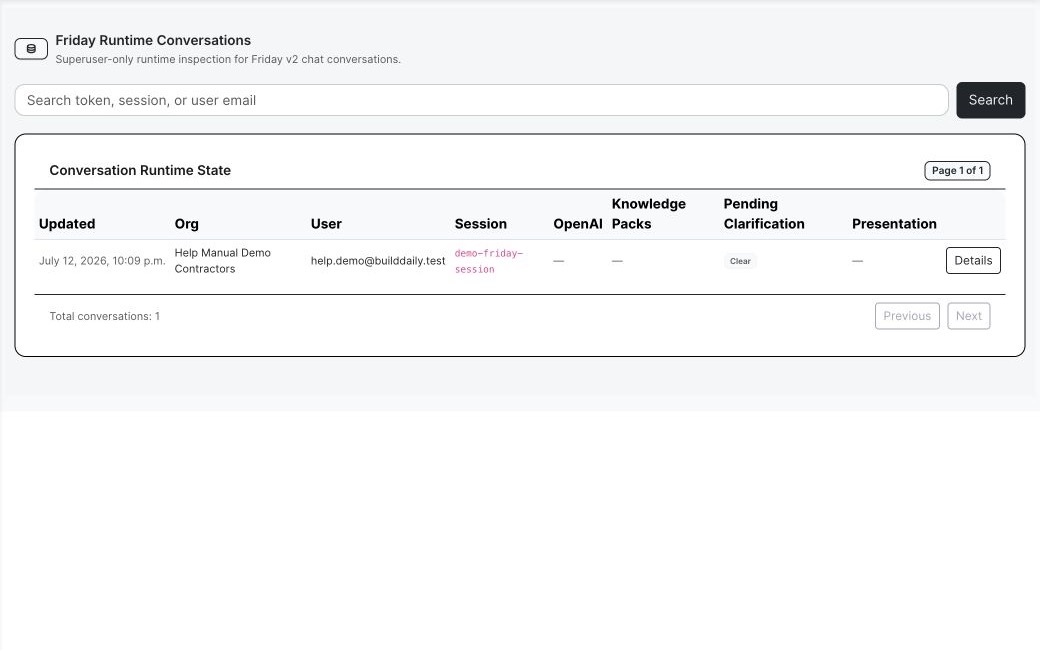
Friday runtime conversation list
Operators can inspect active Friday runtime state by organization, user, and session.
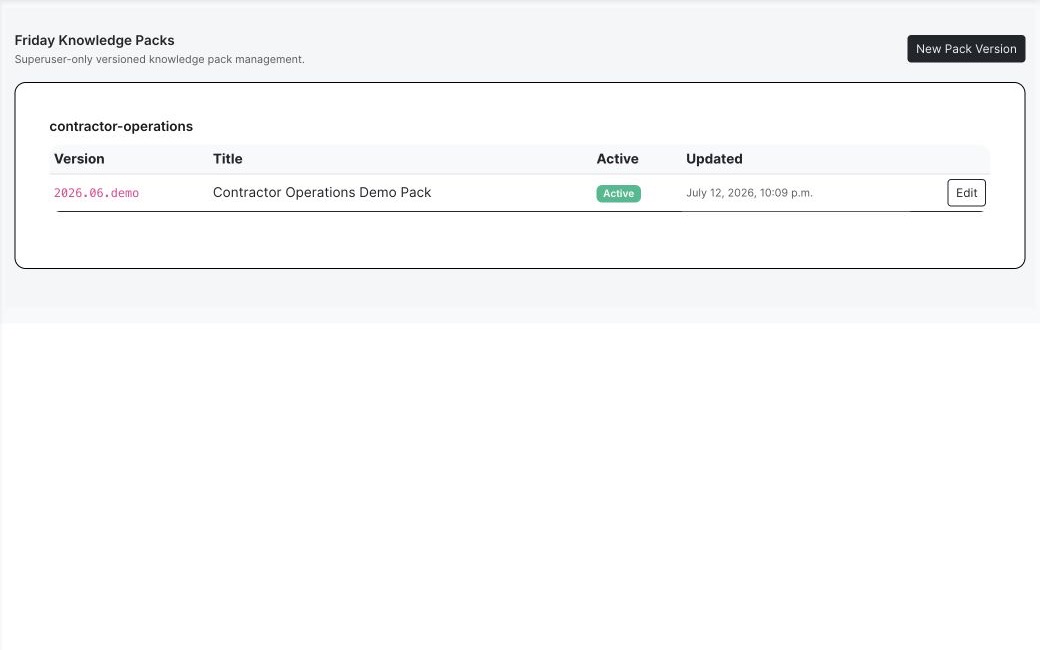
Friday knowledge pack versions
Versioned knowledge packs make the operational context visible and reviewable.
Friday runtime observability
Runtime events, response families, status, failures, and clarification behavior remain inspectable.

Buyer Context

Why this matters operationally

Friday helps with contractor language

Use Friday to polish RFIs, change descriptions, daily reports, customer follow-ups, service summaries, bid language, and support responses while the human keeps control.

Friday watches operational gaps

FridayOps suggestions can point at stale leads, overdue follow-ups, stalled submittals, estimate inactivity, service pressure, or other records that need attention.

AI needs review and evidence

Interactions, approvals, knowledge pack versions, runtime events, and observability make it possible to audit what Friday did and where it came from.

Process

How the work moves through the module

1

Draft or polish

Start from a real record such as an RFI, daily report, lead follow-up, change order, bid letter, service ticket, or support reply.

2

Review before use

Approve, reject, edit, or regenerate output so contractor judgment stays in the workflow.

3

Watch the system

Use admin/runtime views to review interactions, knowledge packs, events, errors, and telemetry when AI output needs investigation.

Module Surfaces

Where the work happens

Overview

Summary Project facts, status, team signals, notes, activity, and the current state of the job.

Documents

Files Project folders, uploads, downloads, previews, rename, move, delete, bulk copy, bulk move, and zip.
Drawings Drawing logs, uploaded sets, sheet review, assignment, verification, history, set downloads, and source PDF access.
Specifications Spec sets, divisions, sections, search, quick navigation, downloads, and version history.
Directives Owner or design-team direction tracked against the project record.
Correspondence Project communications kept with the job instead of buried in inboxes.

Management

RFIs Question, attachments, distribution, response, PDF packet, close, reopen, resend, and public review.
Submittals Vendor, revisions, files, compiled packet, review decisions, distribution, release, and import workflows.
RFPs Project-scoped requests, recipients, planroom links, quote tracking, follow-up, and addendum notifications.
Meetings Meeting records connected to the project.
Permits Permit tracking, inline create/edit, detail records, and draft completion.
Inspections Inspection records tied to permits, field status, and closeout needs.

Field

Daily Reports Daily job record with subcontractor rows, files, autosave, Friday cleanup, finalization, and PDF.
Lookahead Near-term work pulled from schedule windows and field planning.
Safety Safety incidents and field safety records.
Deliveries Delivery tracking for material and project logistics.
Toolbox Talks Talk records and field documentation.
Punchlist Open punch items and closeout corrections.
Manpower Project manpower panel connected to labor planning.

Financials

Change Orders Scope, pricing buckets, files, workflow decisions, packet generation, distribution, and public review.
T&M Tickets Labor, materials, files, signatures, pricing, packet status, and revalidation.
Pay Applications Owner pay application workbench and project billing continuity.
A/R Receivable context and project payment visibility.
Receive Payment Project payment entry from the work page.
Subcontractors Subs, compliance, SOVs, pay requests, billing mode, certificates, and uploads.

Schedule

Schedule Tasks, dependencies, responsible parties, baseline lock, CPM recompute, Gantt data, PDF export, and schedule health.
Lookahead Short-window field planning from the schedule.

Closeout

Closeout Docs Closeout document collection and completion tracking.

Operating Rhythm

How the workflow stays moving

Where it lives

  • This module is part of the project work page, so records stay tied to the job, customer, team, files, schedule, and financial context.
  • The project navigation is the customer clue: users do not hunt for this work in a separate app. They open the project and choose the correct tab.

What a contractor can do

  • Friday chat
  • Send messages and clear history
  • Download bundles
  • Approve or reject interactions
  • Review admin interaction lists and details
  • Inspect runtime conversations
  • Use observability
  • Manage knowledge packs
  • Polish CO/RFI/daily/lookahead/toolbox/safety/delivery/lead language

Walk through Friday AI

We can walk through the module around the way your company actually handles the work.

See it with your work